OCI GoldenGate Connectivity
Discover how OCI GoldenGate connects with other services and technologies.
Example: Replication from Autonomous AI Transaction Processing into Autonomous AI Lakehouse
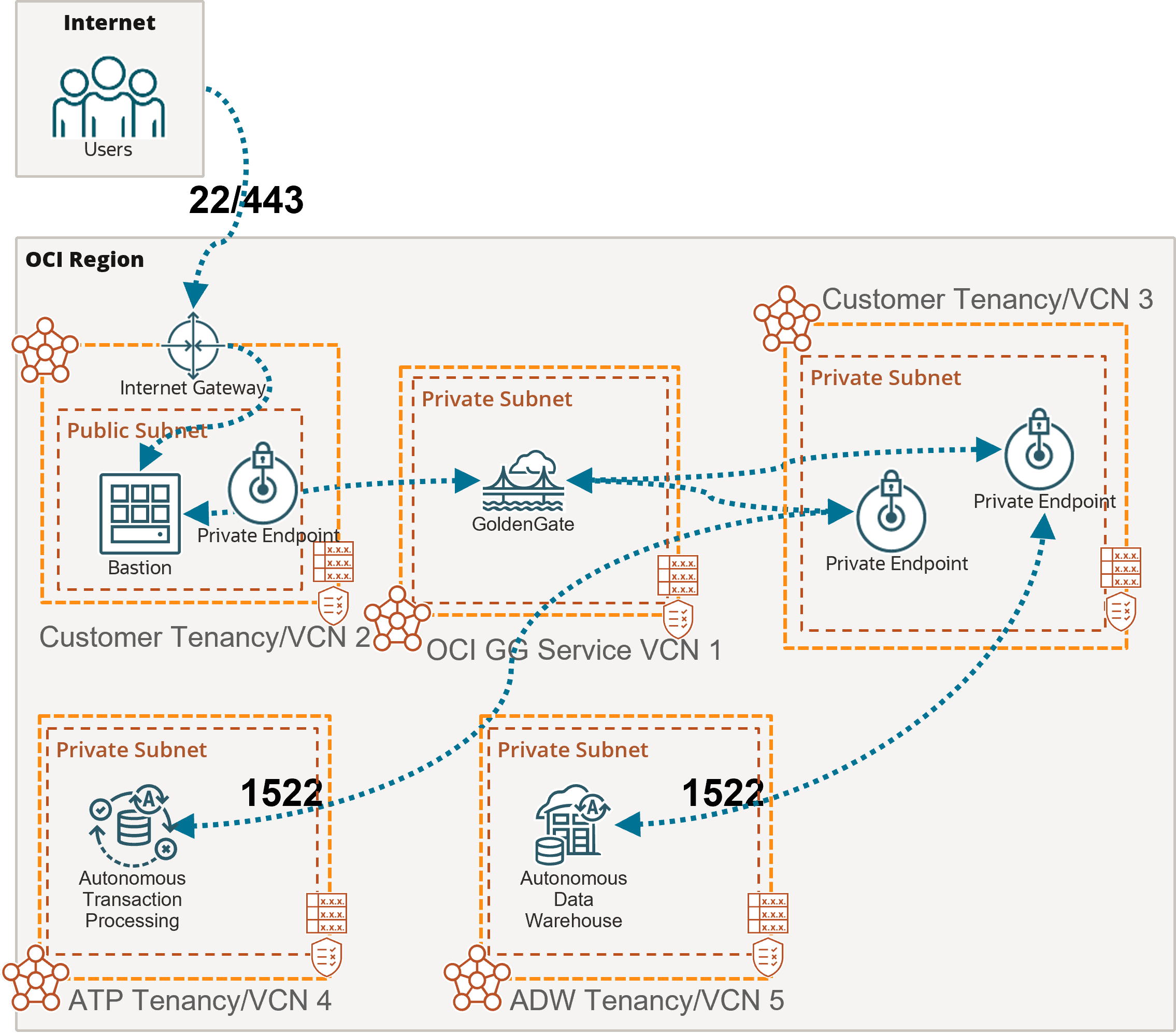
In this example, the OCI GoldenGate deployment is only accessible using a private endpoint from within the OCI network, or through a bastion host that secures access to OCI resources. See Connect to Oracle Cloud Infrastructure GoldenGate using a private IP for more details.
To connect to Autonomous AI Transaction Processing (ATP) and Autonomous AI Lakehouse (ALK), OCI GoldenGate creates private endpoints over port 1522, unless you selected ‘Secure access from everywhere.’
If you select the Autonomous AI Database when creating the connection, then the private endpoint gets created automatically. Otherwise, you can enter your Autonomous AI Database configuration manually, and select 'Shared endpoint' to reuse the deployment's private endpoint created in the subnet selected during the deployment creation. Appropriate subnet security rules and DNS resolution configuration is your responsibility within this subnet.
Example: Replication from Oracle on-premise into Autonomous AI Lakehouse
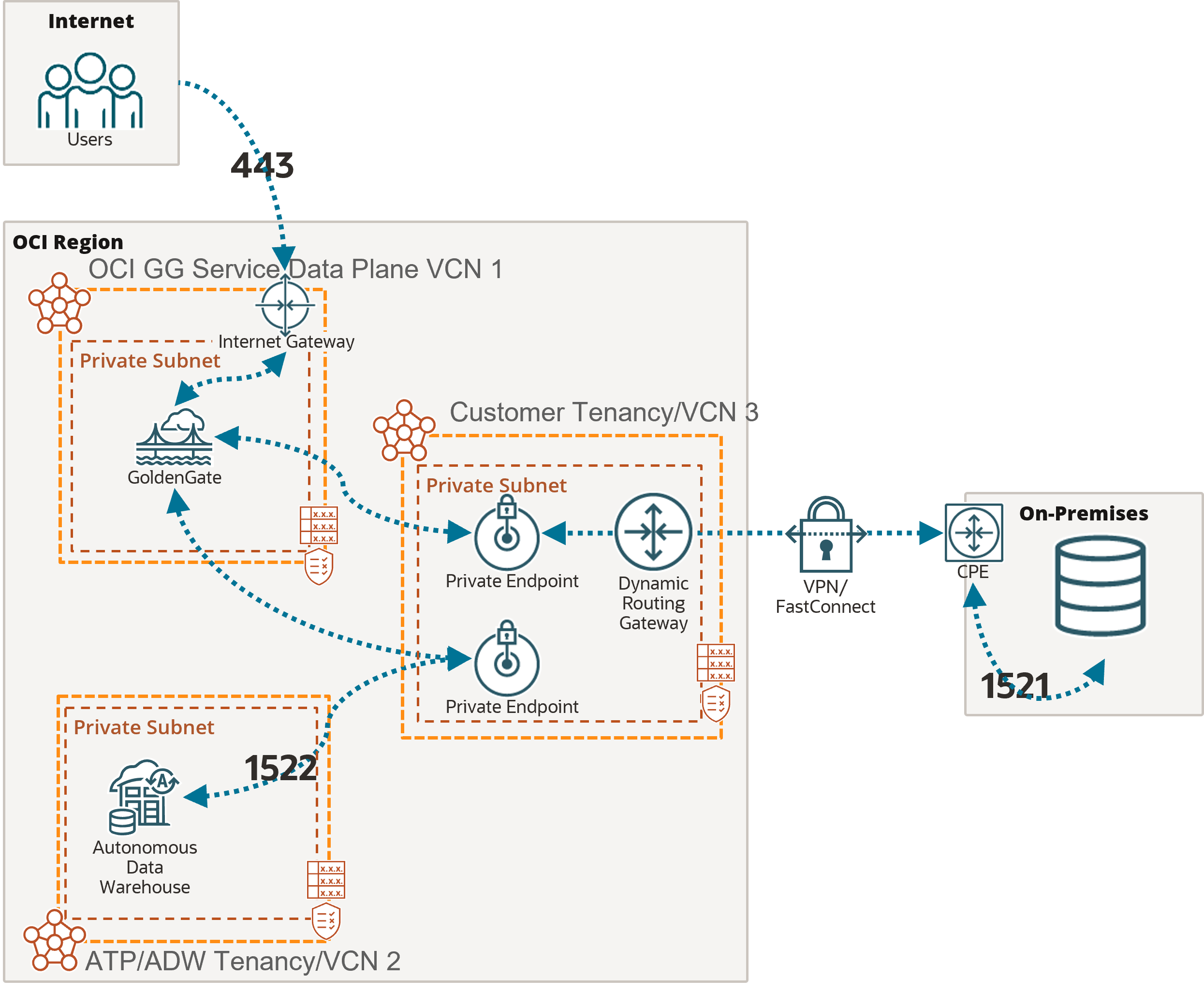
In this example, the OCI GoldenGate deployment is accessible over the public internet using port 443.
As mentioned above, you must add the appropriate subnet security rules to allow connectivity from the Ingress IPs addresses listed in the Connection Details page into the database node's private IP. Any FQDN provided must be resolvable within the selected subnet.
To connect to Autonomous AI Lakehouse (ALK), OCI GoldenGate also creates a private endpoint over port 1522, unless you selected ‘Secure access from everywhere.’
Example: Replication from Azure SQL Managed Instance into Autonomous AI Transaction Processing
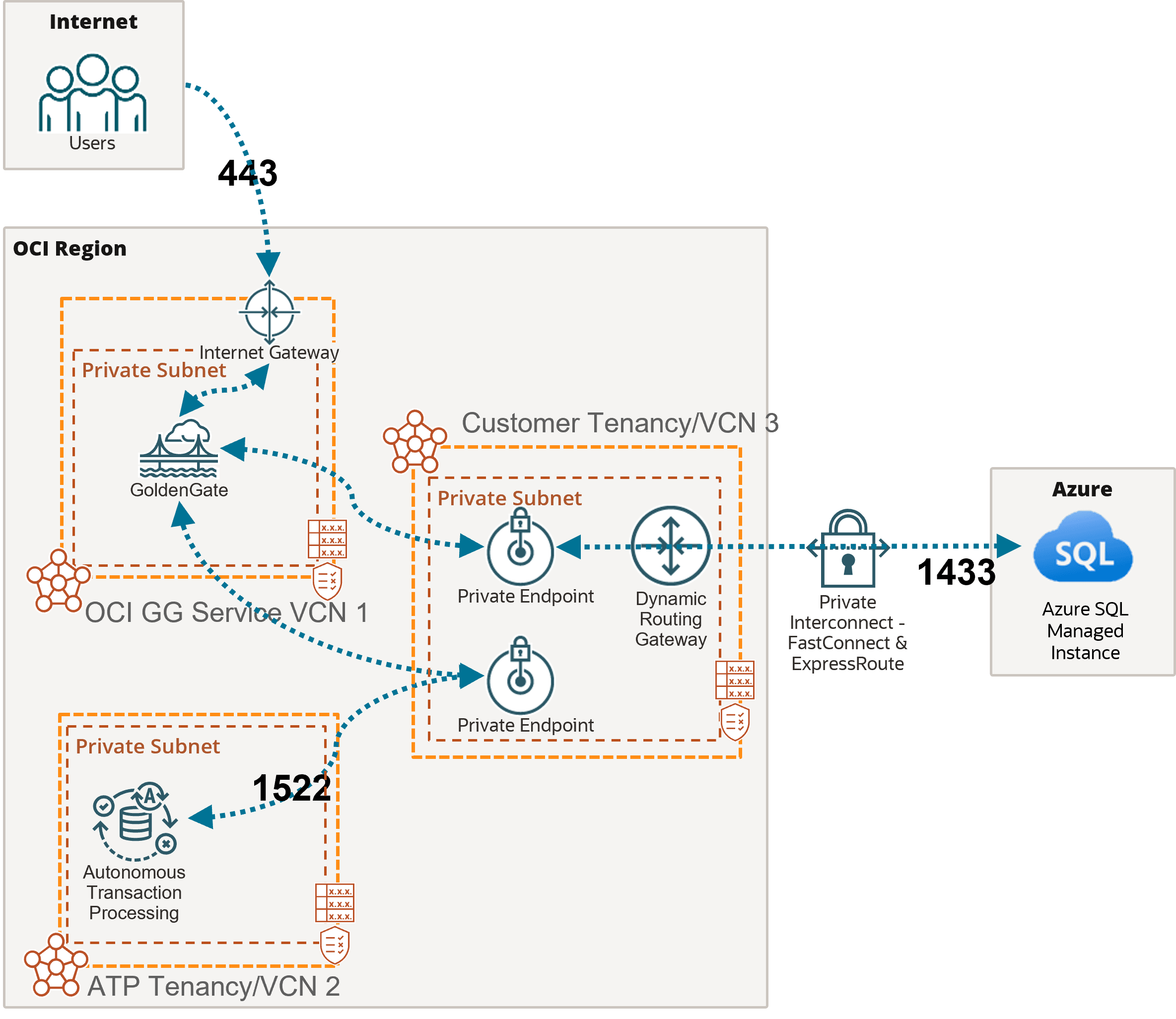
In this example, the OCI GoldenGate deployment is accessible over the public internet using port 443.
As mentioned above, you must add the appropriate subnet security rules to allow connectivity from the Ingress IPs addresses listed on the Connection details page into the database node's private IP. Any FQDN provided must be resolvable within the selected subnet.
In this example, network traffic goes through a private interconnection between OCI and Azure with FastConnect and ExpressRoute. Port 1433 is used for private connections. Connections to Azure SQL Managed Instance over the public internet typically uses port 3342.
To connect to Autonomous AI Transaction Processing (ATP), OCI GoldenGate creates a private endpoint over port 1522, unless you selected ‘Secure access from everywhere.’